Quantcast
Channel: Library Questions - Processing 2.x and 3.x Forum
Viewing all 2896 articles
Browse latest View live

DXF file doesnt export right

$
0
0

Im trying to analyse a soundwave using a code I found online which visually analyzes your recording and can export it into a DXF when a key is pressed. For some reason everytime I press the key the visual freezes and the output file does not show the sound wave properly. I've done this before and it worked the last time. Im using processing 3.2.3 on a mac.

An error also seems to always pop up

==== JavaSound Minim Error ==== ==== Don't know the ID3 code TXXX

==== JavaSound Minim Error ==== ==== Don't know the ID3 code TSSE or RawDXF can only be used with beginRaw(), because it only supports lines and triangles

Here is my code.

import processing.dxf.*;
import ddf.minim.analysis.*;
import ddf.minim.*;
FFT fftLin;
FFT fftLog;

Waveform myRects;

Minim minim;
AudioPlayer groove;

boolean record;

PFont font;

float camzoom;
float maxX = 0;float maxY = 0;float maxZ = 0;
float minX = 0;float minY = 0;float minZ = 0;


void setup(){
  size(1000,500,P3D);
  noStroke();
  minim = new Minim(this);
  groove = minim.loadFile("Danny.mp3");
  //repeat the song
  groove.loop();
  background(255);

  font = loadFont("HelveticaNeueLT-Bold-18.vlw");

  fftLog = new FFT(groove.bufferSize(),groove.sampleRate());
  fftLog.logAverages(22,4);     //adjust numbers to adjust spacing

  float w = float (width/fftLog.avgSize());
  float x = w;
  float y = 0;
  float z = 50;
  float radius = 10;
  myRects = new Waveform(x,y,z,radius);
}


void draw(){
  background(0);
  directionalLight(126,126,126,sin(radians(frameCount)),cos(radians(frameCount)),1);
  ambientLight(102,102,102);


  if (frameCount>200){
    for(int i = 0; i < fftLog.avgSize(); i++){
      float zoom = 1;
      float jitter = (fftLog.getAvg(i)*200);
      //println(jitter);
      PVector foc = new PVector(myRects.x+jitter, myRects.y+jitter, 0);
      PVector cam = new PVector(zoom, zoom, -zoom);
      camera(foc.x+cam.x+50,foc.y+cam.y+50,foc.z+cam.z,foc.x,foc.y,foc.z,0,0,1);
    }
  }
  //play the song
  fftLog.forward(groove.mix);

  myRects.update();
  myRects.textdraw();

  if(record){
    beginRaw(DXF, "output.dxf");
  }
  // DXF will export the stuff drawn between here.

  myRects.plotTrace();

  if(record){
    endRaw();
    record = false;
    println("Done DXF~!");
  }
}


void stop() {
  // always close Minim audio classes when you finish with them
  groove.close();
  // always stop Minim before exiting
  minim.stop();
  super.stop();
}


class Waveform{
  float x,y,z;
  float radius;

  PVector[] pts = new PVector[fftLog.avgSize()];

  PVector[] trace = new PVector[0];

  Waveform(float incomingX, float incomingY, float incomingZ, float incomingRadius){
    x = incomingX;
    y = incomingY;
    z = incomingZ;
    radius = incomingRadius;
  }

  void update(){
    plot();
  }

  void plot(){
    for(int i = 0; i < fftLog.avgSize(); i++){
      int w = int(width/fftLog.avgSize());

      x = i*w;
      y = frameCount*5;
      z = height/4-fftLog.getAvg(i)*10;

      stroke(0);
      point(x, y, z);
      pts[i] = new PVector(x, y, z);
      //increase size of array trace by length+1
      trace = (PVector[]) expand(trace, trace.length+1);
      //always get the next to last
      trace[trace.length-1] = new PVector(pts[i].x, pts[i].y, pts[i].z);
    }
  }


  void textdraw(){
    for(int i =0; i<fftLog.avgSize(); i++){
      pushMatrix();
      translate(pts[i].x, pts[i].y, pts[i].z);
      rotateY(PI/2);
      rotateZ(PI/2);
      textFont(font);
      fill(255,200);
      text(round(fftLog.getAvg(i)*100),0,0,0);
      popMatrix();
    }
  }

  void plotTrace(){
    /*
    //drawing points
     for(int i=0; i<trace.length; i++){
     stroke(255,0,0);
     //locator(trace[i].x, trace[i].y, trace[i].z, 1);
     point(trace[i].x, trace[i].y, trace[i].z);
     }
     */
    //drawing poly surface


    stroke(255,80);
    int inc = fftLog.avgSize();

    for(int i=1; i<trace.length-inc; i++){
      if(i%inc != 0){
        beginShape(TRIANGLE_STRIP);


        float value = (trace[i].z*100);
        float m = map(value, -500, 20000, 0, 255);
        fill(m*2, 125, -m*2, 140);
        vertex(trace[i].x, trace[i].y, trace[i].z);
        vertex(trace[i-1].x, trace[i-1].y, trace[i-1].z);
        vertex(trace[i+inc].x, trace[i+inc].y, trace[i+inc].z);
        vertex(trace[i-1+inc].x, trace[i-1+inc].y, trace[i-1+inc].z);
        endShape(CLOSE);


      }
    }
    /*
    //draw splines
     int skip = 5;
     stroke(255, 20);
     noFill();
     for(int i=0; i<trace.length; i+=inc*skip){
     beginShape();

     for(int j=0; j<inc; j+=skip){
     stroke(255,0,0,40);
     curveVertex(trace[i+j].x, trace[i+j].y, trace[i+j].z);
     }
     endShape();
     }
     */  }
}


void keyPressed() {
  // use a key press so that it doesn't make a million files
  if (key == 'r') record = true;
}

ANY HELP WOULD BE GREATLY APPRECIATED!!!

Error waited 5000ms

$
0
0

Hello I quite often have this error for quite a while since I'm using the librairy Beads (wich is up on date).

Here is the error I get java.lang.RuntimeException: Waited 5000ms for: <439eac3d, 4d595a3e>[count 2, qsz 0, owner <main-FPSAWTAnimator#00-Timer0>] - <main-FPSAWTAnimator#00-Timer0-FPSAWTAnimator#00-Timer1> at processing.opengl.PSurfaceJOGL$2.run(PSurfaceJOGL.java:459) at java.lang.Thread.run(Thread.java:745) java.lang.RuntimeException: Waited 5000ms for: <439eac3d, 4d595a3e>[count 2, qsz 0, owner <main-FPSAWTAnimator#00-Timer0>] - <main-FPSAWTAnimator#00-Timer0-FPSAWTAnimator#00-Timer1> at processing.opengl.PSurfaceJOGL$2.run(PSurfaceJOGL.java:459) at java.lang.Thread.run(Thread.java:745)

Ask me if you need any more informations :)

Beads reverb distortion?

$
0
0

Hi folks Ive just started playing around with beads and am not getting great results from the reverb. The first triggering of a sample through the reverb sounds clean, but after that it sounds distorted in a less than desirable way. I have played around with the parameters as well increasing Processing's maximum available memory to 2048 in the hopes that might improve the sound. But it hasn't solved the problem.

The fact that the first instance of reverb heard sounds different to those that follows makes me suspect it is not just how the reverb sounds, but is actually some issue with the code or settings. If anyone can help with this I would be very grateful.

Cheers N

Really confused on how to go about this (color tracking again)

$
0
0

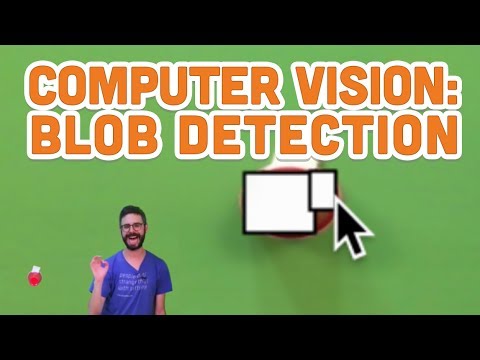
So, for anyone that saw my last post, im using the same code with a bit more added on. I took out anything that had to do with the xbox kinect because it is getting in the way of my finishing this atm but i do plan on using it with the same code in the future. My program now uses a webcam. So, Following Daniel Shiffman's tutorials I got the color tracking and blob detection working (image). What I am trying to do now is to make my program so that a line is drawn following the blobs path. So, a line is drawn on the screen, and every time the blob moves, more of that line is drawn. I was thinking of using some sort of code similar to the code in a processing online book

void draw(){
line(pmouseX,pmouseY,mouseX,mouseY)
}

to draw the line however i dont know how i would get the blobs previous position. So far under the blob class in its show() function I am putting line(maxx,maxy) to start the line off in the corner of the blob which works (if you are confused I am following the tutorial in the link above) However I do no know what to do with the last coordinates or if I should try to do this in a different way. Any tips?

import processing.video.*;


Capture video;

color trackColor;
float threshold = 25;
float distThresh = 150;
ArrayList<Blob> blobs = new ArrayList<Blob>();

void setup() {
  size(640, 400);
  video = new Capture (this,640,480,30);
  video.start();
  trackColor = color(0,0,255);
}

 void captureEvent(Capture video){
   video.read();
 }


void draw(){
  video.loadPixels();
  image(video, 0, 0);

blobs.clear();


 for (int x=0; x< video.width; x++){
   for (int y =0; y < video.height; y++){
     int loc = x+y * video.width;

     color currentColor = video.pixels[loc];
     float r1 = red(currentColor);
     float g1 = blue(currentColor);
     float b1 = green(currentColor);
     float r2 = red(trackColor);
     float g2 = blue(trackColor);
     float b2 = green(trackColor);

     float d = dist(r1,b1,g1,r2,b2,g2);

     if (d < threshold){

       boolean found = false;
       for (Blob b : blobs){
         if(b.isNear(x,y)){
           b.add (x,y);
           found = true;
           break;

           }
         }

       if (!found){
        Blob b = new Blob(x,y);
        blobs.add(b);


       }
     }
   }
 }
 int i = 0;
 for (Blob b :blobs){
 if (b.size() > 500){
   b.show(i);
   i++;
     }
   }
 }


 float distSq( float x1, float y1, float x2, float y2) {
 float d = (x2-x1)*(x2-y1) + (y2-y1)*(y2-y1);
 return d;
}


void mousePressed(){
 int loc = mouseX + mouseY*video.width;
 trackColor = video.pixels[loc];
}

class Blob {

  float minx;
  float miny;
  float maxx;
  float maxy;

Blob(float x , float y) {

minx = x;
miny = y;
maxx = x;
miny = y;
}

void show(int num){
  stroke(0);
  fill(255,255,255,150);
  strokeWeight(2);
  rectMode(CORNERS);
  rect (minx,miny, maxx,maxy);

  textAlign (CENTER);
  textSize(64);
  fill(255);
  text(num, minx + (maxx-minx)*0.5, miny + (maxy-miny)*0.5);

}

void add(float x, float y){
  minx = min(minx,x);
  miny = min(miny,y);
  maxx = max(maxx,x);
  maxy = max(maxy,y);

}

 float size() {
    return (maxx-minx)*(maxy-miny);
  }

boolean isNear(float x, float y){

  float cx =(minx+maxx)/2;
  float cy = (miny+maxy)/2;


  float d = distSq (cx,cy,x,y);
  if (d< distThresh*distThresh){
   return true;
  } else{
   return false;
  }
}

}

It doesnt seem to work.. (twitter4j setRpp)

$
0
0

Hey guys, i'm fairly new to processing

but i found this code from a guy that he made in 2011.

Putting in a hashtag and it becomes a visual.. now processing says the SetRpp function

doesnt exist..

Is it because this code is pretty old?

anyway it seems really short and efficient.

would appreciate some help!

(i have everything set up in the library twitter4j-core etc)

Thanks!


//Build an ArrayList to hold all of the words that we get from the imported tweets
ArrayList<String> words = new ArrayList();

void setup() {
  //Set the size of the stage, and the background to black.
  size(550,550);
  background(0);
  smooth();

  //Credentials
  ConfigurationBuilder cb = new ConfigurationBuilder();
  cb.setOAuthConsumerKey("INSERT");
  cb.setOAuthConsumerSecret("INSERT");
  cb.setOAuthAccessToken("INSERT");
  cb.setOAuthAccessTokenSecret("INSERT");

  //Make the twitter object and prepare the query
  Twitter twitter = new TwitterFactory(cb.build()).getInstance();
  Query query = new Query("#OWS");
  query.setRpp(100);

  //Try making the query request.
  try {
    QueryResult result = twitter.search(query);
    ArrayList tweets = (ArrayList) result.getTweets();

    for (int i = 0; i < tweets.size(); i++) {
      Tweet t = (Tweet) tweets.get(i);
      String user = t.getFromUser();
      String msg = t.getText();
      Date d = t.getCreatedAt();
      println("Tweet by " + user + " at " + d + ": " + msg);

      //Break the tweet into words
      String[] input = msg.split(" ");
      for (int j = 0;  j < input.length; j++) {
       //Put each word into the words ArrayList
       words.add(input[j]);
      }
    };
  }
  catch (TwitterException te) {
    println("Couldn't connect: " + te);
  };
}

void draw() {
  //Draw a faint black rectangle over what is currently on the stage so it fades over time.
  fill(0,1);
  rect(0,0,width,height);

  //Draw a word from the list of words that we've built
  int i = (frameCount % words.size());
  String word = words.get(i);

  //Put it somewhere random on the stage, with a random size and colour
  fill(255,random(50,150));
  textSize(random(10,30));
  text(word, random(width), random(height));
}

shapes3D library issue?

$
0
0

Hi, I´m trying to use the shapes3D library but I always get the same error and dunno why: java.lang.RuntimeException: java.lang.NoSuchMethodError: processing.core.PVector.set(Lprocessing/core/PVector;)V Is there something wrong with the code or is just a compatibility issue? ( versions: -Processing:3.1.1// -Shapes3d: 2.1.4)

import shapes3d.*;
import shapes3d.animation.*;
import shapes3d.utils.*;

Ellipsoid core;

void setup() {////////////////////////////////////////////////////////////////////////////////////////////////////
  size(400, 400, P3D);

  core= new Ellipsoid(this, 20, 30);
  core.setRadius(90);
  core.moveTo(new PVector(0, 0, 0));
  core.fill(color(255, 111));
  core.drawMode(Shape3D.SOLID);
}

  void draw() {////////////////////////////////////////////////////////////////////////////////////////////////////
    background(0);
    camera(0, -190, 350, 0, 0, 0, 0, 1, 0);
    lights();

    core.draw();
  }

how to make image from sound like hacked webcam music visualizer by Ikeda/Noto

Quadratic Equation Graph

$
0
0

The equation is not graphing properly, how do I fix it? I am trying to make a program that accepts a quadratic equation from a user, solves the equation and also graphs the equation. I am pretty new to Processing so if I made any obvious mistakes, please help me to point it out. I adapted the code from the graph from the grafica library but I can't seem to implement it properly. Here is my code:

import javax.swing.JOptionPane; import grafica.*; GPlot plot1; String input;

void setup(){ size(500, 500); background(255);

float[] firstPlotPos = new float[] {0, 0}; float[] panelDim = new float[] {200, 200}; float[] margins = new float[] {60, 70, 40, 30};

GPlot plot1 = new GPlot(this); plot1.setPos(firstPlotPos); plot1.setMar(0, margins[1], margins[2], 0); plot1.setDim(panelDim); plot1.setAxesOffset(0); plot1.setTicksLength(-4); plot1.getXAxis().setDrawTickLabels(false);

String num = JOptionPane.showInputDialog(null,"Enter the coefficient of x²: ", "Text input", JOptionPane.QUESTION_MESSAGE); int num1=Integer.parseInt(num); String num4 = JOptionPane.showInputDialog(null,"Enter the coefficient of x: ", "Text input", JOptionPane.QUESTION_MESSAGE); int num2=Integer.parseInt(num4); String num5 = JOptionPane.showInputDialog(null,"Enter the constant: ", "Text input", JOptionPane.QUESTION_MESSAGE); int num3=Integer.parseInt(num5);

println(quadratic(num1, num2, num3)); println(quadratic1(num1, num2, num3));

int nPoints = 21; GPointsArray points1 = new GPointsArray(nPoints);

for (int i = 0; i < nPoints; i++) { points1.add(i,(num1((i)(i))+(num2*(i))+num3)); }

plot1.setPoints(points1); plot1.setTitleText("Quadratic equation graph"); plot1.getTitle().setRelativePos(1); plot1.getTitle().setTextAlignment(CENTER); plot1.getYAxis().setAxisLabelText("Y Axis");

plot1.beginDraw(); plot1.drawBox(); plot1.drawXAxis(); plot1.drawYAxis(); plot1.drawTopAxis(); plot1.drawRightAxis(); plot1.drawTitle(); plot1.drawPoints(); plot1.drawLines(); plot1.endDraw(); }

float quadratic(float a, float b, float c){ return (-b + sqrt( bb - 4ac)) / (2a); } float quadratic1(float d, float e, float f){ return (-e - sqrt( ee - 4df)) / (2d); }


How to make a video start on a full second at 1000 milliseconds...

$
0
0

I'm struggling to understand how to set the parameter so the sketch I've created starts at a full second.

The majority of components including a moving clock, movie and music all need to sync to the same time. However, currently the clock is running to actual time, and the movie and music start immediately from when the user would click 'Run'.

I understand and have used many time framed parameters within my coding, for example draw an ellipse at a certain time such as:

  if (millis() < 24610) {
    fill(255, 255, 0);
    stroke(255, 255, 0);
    strokeWeight(2);
    ellipse(width/2-140, height/2*k+140, 10, 10);
}

I just don't understand how to get a movie or song to play at the certain time, in order for everything to sync to your computers time (as the clock does)...

Could I use some part of the following statement?

  if (movie.available() == true) {
    movie.read();
  }

However add something like... if millis() is 1000 start movie and music...

Sorry, I am still very new to Processing and would appreciate the help a lot!

Thanks,

bmz

How to use video to create music...

$
0
0

Sorry I'm new to programming but I've searched the forums and generally online, with no useful answer to this... I can get videos playing and have managed to use other peoples shared games and generative code to input midi into Logic and record... I'm just having trouble combining the two.

So... how would I go about using light information such as brightness of a video to influence midi note on/off... would anyone share such code with me?

Any info would be greatly appreciated! sorry if this seems obvious to you.

Thanks,

bmz

GTextField, pROCESSING

$
0
0

How to do with the string "GTextField" considered only numbers? Р.s Himself Russian so there may be errors because I do not really know angliysky

Locate tag in threedimensional space

$
0
0

Hi! I need to locate a sheet of paper. My idea was to have one or more qr-like tags on the paper and process the webcam input to find the position relative to the cam. How can I do that? Thank you all

Maximum file size in Processing - audio and video?

$
0
0

Hi,

What are the general guidelines on file size in Processing - both audio and video file size?

I'm trying to make some projects with and without Arduino, where I can trigger videofiles with input from sound sensor, and trigger audio-files with keys, but it is difficult to find information on the maximum file size that Processing is able to handle.

I had a wav-file, which I had to compress, but what are the general criteria?

Thank you.

Morten

Class gravityBehavior does not exist!!

$
0
0

Hello all I just started using toxiclibs and I'm a new user of processing(so not much experienced :) ) I'm getting and error while using a physics 2D behavior. I'm following nature of the code tutorials.

import toxi.geom.*;
import toxi.physics2d.*;
import toxi.physics2d.behaviors.*;
VerletPhysics2D physics;

void setup() {
  size(800, 600);
  physics = new VerletPhysics2D();
  physics.setWorldBounds(new Rect(0, 0, width, height));
  physics.addBehavior(new GravityBehavior(new Vec2D(0, 0.5)));
}

and I get this error that the class gravity behavior does not exist. Somehow stuck. I would appreciate if someone help me with this.

slider2d processing

$
0
0

Hello everyone, Need help in making my custom slider2d. I want it to move mouse on left rect and draw a stroke lines in rect on the right side. Its possible to do but i dont know how to make it. Please help me. Saw an example in library but cant remake it to make my own.


Playing different midi instruments on different keys in the computer keyboard using soundcipher

$
0
0

Hello there. I need to make a sketch in processing to play different instruments (gm midi) when i press different keys on the computer keyboard using the soundcipher library. I have made a sketch that play a note when a key is pressed but is always a piano sound. How i can have different sounds, ie Acoustic Bass for a key 's' pressed and a electric piano when a key 'f' is pressed? I know it must have something to do with program change but i could not figure it out by myself. Thanks for any help!!!

Processing Minim BPM analysis serial.write error

$
0
0

Hi. The code I am using to search for the BPM of a song in Processing with Minim works fine when I println the 'bpm'. Unfortunately, when I attempt to myPort.write(bpm), I am getting the JavaSound Minim Error: Don't know the ID3 code TXXX and TSSE

I know this is related to the mp3 tag embedded in the file and I have removed it; however, I still get a NullPointer Exception which is freezing my java.

Any help would be appreciated.

import ddf.minim.analysis.*;
import ddf.minim.*;
import controlP5.*;
import processing.serial.*;
//----------------------------------------------------------------------------------------------------
Serial myPort;
Minim minim;
AudioPlayer player;
FFT fft;
ControlP5 controlP5;

int colmax = 100;
int rowmax = 25;
int[][] sgram = new int[30][colmax];
float[] sgram2 =new float[256];

int col;
int leftedge;
int b;
float currMaxVal;
int maxValPos;
int mydelay;
int milidif;
int time  ;
int runtime;
int timeold;
int Speed=0;


void setup()
{
  frameRate(61);
  size(510, 125);
  time = 0;
  controlP5 = new ControlP5(this);
  controlP5.addSlider("rowmax", 0, 30, 25, 500, 0, 10, 125);
  // set colormode
  colorMode(HSB, 255, 255, 255, 255);

  // get the audio
  minim = new Minim(this);
  player = minim.loadFile("Major Lazer - Watch Out For This (Bumaye) (instrumental).mp3", 2048);
  player.loop();
  fft = new FFT(player.bufferSize(), player.sampleRate());
  fft.window(FFT.HAMMING);
}

void draw()
{
  background(0);
  time = millis();
  milidif=time-mydelay;
  // perform a forward FFT on the samples in the input buffer
  fft.forward(player.mix);
  // fill array with spectrum
  for (int i = 0; i<256; i++)
  {
    sgram2[i] = (fft.getBand(i));
    if ((fft.getBand(i)) > (currMaxVal)) {
      currMaxVal=((fft.getBand(i)));
      maxValPos = i;
    }
  }
  //set the color by: highest value and the freq-band
  color a = color(maxValPos, 255, currMaxVal );
  // set values to zero
  currMaxVal =0;
  maxValPos = 0;
  //fill the last column of the array with the color
  sgram[b][99] = (a);
  // count up the rows
  b=b+1;
  // when row is full, shift array 1 step left
  if (b==rowmax) {
    b=0;
    mydelay=time;

    //-----------------------------------------------------------------------------------------------
    //ERROR HERE//
    int bpm = 60000/milidif;
    println(bpm);
    myPort.write(bpm);
    //-----------------------------------------------------------------------------------------------

    for (int z = 0; z < 99; z++) {
      for (int y = 0; y < 25; y++) {
        sgram[y][z]=sgram[y][z+1];
      }
    }
  }
  for (int i = 0; i < colmax; i++) {
    for (int j = 0; j < 25; j++) {
      stroke(0);
      fill(sgram[j][i]);
      rect(i*5, height-(j*5), 5, 5);
      noStroke();
    }
  }
}


void stop()
{
  // always close Minim audio classes when you finish with them
  player.close();
  minim.stop();

  super.stop();
}

music file play

$
0
0

Hi, have the following problem. I have a tank, that is controlled by the keys. I have found the sound of an engine roaring. BUT, I want it to be played ONLY if the key is pressed.

If I code: If (mouseClicked == true) then mySound.play

Then the sound will be played from the start every time I click the mouse button. What is the right way to do this?

Toxiclibs Particle AxisConstraint

$
0
0

Anyone familiar with how to constrain a toxiclibs 3D particle using AxisConstraint?

Making a basic music sequencer with minim

$
0
0

I've started on a project to create a music sequencer with minim using instrument classes and playNote functions etc. I've got a sequence of notes working ok, but I have no way of looping them. Here's the main code:

import ddf.minim.*;
import ddf.minim.ugens.*;

Minim       minim;
AudioOutput out;
Delay myDelay;
int i;
int endSeq;

public void settings() {
  size(800, 300, P2D);
}

void setup() {

  minim = new Minim(this);
  out = minim.getLineOut();
  myDelay = new Delay(1.5,0.5, false,false);
  bassSeq(); // starts bass sequence function
  chordSeq(); // starts chord sequence function
}

void draw() {
}

And here's the bassSeq function which describes the whole bass sequence:

void bassSeq(){
float[] stepArray = {0.00, 0.75, 2.00, 2.5, 2.75, 3.5, 4, 4.5};
float[] decayArray = {1.0, 0.5, 0.5, 0.5, 0.5, 0.2, 0.5, 1.0};
float[] noteArray = {C2, F2, E2, G2, B2, C2, C2, B2};

for (i = 0; i <= 7; i++){

  out.pauseNotes();
  out.setTempo(125);
  out.playNote(stepArray[i], decayArray[i], new BassInstr(noteArray[i], 0.5, out ) );
  out.resumeNotes();

}
}

The problem is, if I put these functions in setup, they only play once. What ideally I'd want to do is iterate back to the start of i=0 so it gives the instruments the sequence from the start of the array after it is finished one loop. If I put the sequence functions in the draw loop, it sends the instrument notes incredibly fast (prob around 60fps if that's the default for draw). I've put a delay() function in the draw loop which does actually loop the music after the time but there's no way of giving delay a number that is totally accurate so it loops accurately.

Some help would be appreciated.

Viewing all 2896 articles
Browse latest View live