Quantcast
Channel: Library Questions - Processing 2.x and 3.x Forum
Viewing all 2896 articles
Browse latest View live

Optimizing draw function

$
0
0

The question I have is that in the following code I am only changing 1 box every second or so, but i am having to redraw all 8000 blocks each draw cycle. Is there a way to have draw only redraw the changed objects? Is there any way to write these boxes to a single shape or similar and once I update the single box every few seconds, then I update the stores shape, or do I have to redraw everything every 1/60 second..... Any suggestions on improving any areas of this code are appreciated.

import peasy.*;
import shapes3d.*;
import processing.opengl.*;

PeasyCam cam;
int   CPS = 20;                         // number of cells per side - no greater than 100
int   winSize = 1024;                   //size of display window in both directions

Box[][][] box = new Box[CPS][CPS][CPS];
Shape3D picked = null;
boolean clicked = false;
float boundries = winSize *.8;
float gridSize = boundries / CPS;
float cellSize = gridSize * .4;
float offset=(CPS-1)*gridSize/2.0;
double rotateAngle = .002;
color[] faceColor = { 0x44FF0000, 0x4400FF00, 0x440000FF, 0x44FFFF00, 0x4400FFFF, 0x44FF00FF  };

//_________________________________________________________________
void setup() {
  size(1024, 1024, P3D);
  cursor(CROSS);
  cam = new PeasyCam(this, winSize*1.25);

  for (int i = 0; i < CPS; i++) {    for (int j = 0; j < CPS; j++) {      for (int k = 0; k < CPS; k++) {
        box[i][j][k] = new Box(this, cellSize, cellSize, cellSize);
        box[i][j][k].moveTo(i*gridSize-offset,j*gridSize-offset,k*gridSize-offset);
        for (int c = 0; c<faceColor.length; c++) {box[i][j][k].fill(faceColor[c],int(pow(2,c)));}  //every side of the cells needs a different color
        box[i][j][k].drawMode(S3D.SOLID);
    }}}                   }

//_________________________________________________________________
void draw() {

  background(127);
  pushMatrix();
      for (int i = 0; i < CPS; i++) {       for (int j = 0; j < CPS; j++) {        for (int k = 0; k < CPS; k++) {
           box[i][j][k].draw();   }}}
  popMatrix();
  cam.rotateY(rotateAngle);   cam.rotateX(rotateAngle);   cam.rotateZ(rotateAngle);
  }

//_________________________________________________________________
void mouseClicked() {if (mouseButton == LEFT) {rotateAngle=0;} else if (mouseButton == RIGHT) {rotateAngle=.002;}}

Drawing the human silhouette with bezier

$
0
0

Hello guys,

Sorry but I will try to ask something complicated again ... (laughs) ...

Below are two code snippets in the first example has a "silhouette" human, designed with bezier, the example I took in OpenProcessing.

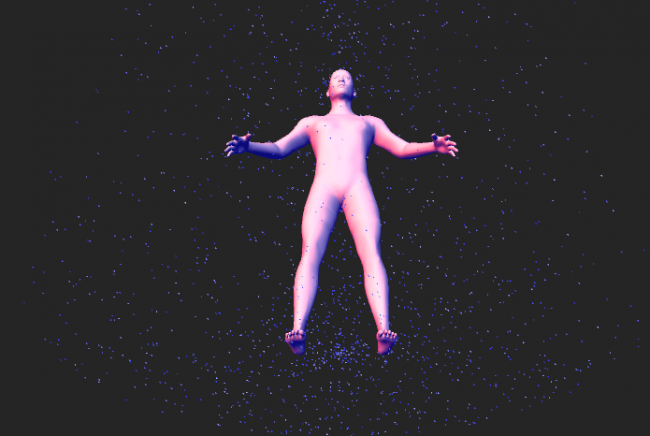
Then there is another code, which like to do something similar, ie have the outline of the human body, but only in 3D, with proscene library could to facilitate rotacionamento, I got an example here in the forum.

Someone would know where I FIND tips on how to facilitate to mount coordinated the human body? (Build the mesh ...) to make these contours in 3D?

If anyone can help me with any tips, I thank the attention.

Thank you very much

first Program

int neckThick, headShape, shoulderSize, armSize, hipSize, lowerSize, upperSize, thighSize, handSize, legSize, footSize;

void setup() {
  size(displayWidth, displayHeight, P3D);
  smooth();
  strokeWeight(2);
  noFill();
  stroke(10,50,255,80);

  atualizaPontos();
}

void draw() {
  background(255);
  desenhaCorpo();;
}

void atualizaPontos(){
  neckThick    = 3;
  headShape    = 0;
  shoulderSize = 5;
  armSize      = -1;
  hipSize      = -3;
  lowerSize    = -5;
  upperSize    = 2;
  thighSize    = -5;
  handSize     = 15;
  legSize      = 0;
  footSize     = 14;
}

void desenhaCorpo() {
  head(headShape);
  neck(neckThick);
  shoulders(shoulderSize);
  upperArms(armSize);
  hips(hipSize);
  lowerBody(lowerSize);
  upperBody(upperSize);
  thighs(thighSize);
  kneecaps();
  hands(handSize);
  legs(legSize);
  feet(footSize);
}

void head(int headSize) {
  bezier(300, 70, 308, 30, 372, 30, 385, 70); //scalp
  bezier(300, 70, 300-headSize, 120, 315-headSize, 135, 320, 140); //side
  bezier(385, 70, 385+headSize, 120, 370+headSize, 135, 365, 140); //side
  bezier(320, 140, 340, 155, 345, 155, 365, 140); //chin
}
void neck(int neckWidth) {
  bezier(320, 140, 325-neckWidth, 170, 320-neckWidth, 180, 315, 180); //left neck
  bezier(365, 140, 355+neckWidth, 170, 365+neckWidth, 180, 365, 180); //right neck
}
void shoulders(int shoulderWidth) {
  bezier(210, 200, 305, 190-shoulderWidth, 310, 185-shoulderWidth, 315, 180); //left trapezius
  bezier(365, 180, 370, 190-shoulderWidth, 380, 195-shoulderWidth, 480, 200); //right trapezius
  bezier(210, 200, 205, 205, 205, 205, 200, 220); // left shoulder
  bezier(480, 200, 485, 205, 485, 205, 490, 220); // right shoulder
}
void upperBody(int upperWidth) {
  bezier(240, 250, 245-upperWidth, 300+upperWidth, 250-upperWidth, 325+upperWidth, 275, 325); //left pectoral
  bezier(450, 250, 450+upperWidth, 300+upperWidth, 430+upperWidth, 325+upperWidth, 415, 325); //right pectoral
  bezier(330, 300, 325, 320, 320, 320, 300, 325); //inner boob
  bezier(360, 300, 370, 320, 375, 320, 390, 325); //inner boob
}
void lowerBody(int lowerWidth) {
  bezier (260, 320, 260-lowerWidth, 350+lowerWidth/2, 270-lowerWidth, 380+lowerWidth/2, 265, 415); // left side
  bezier (430, 320, 430+lowerWidth, 350+lowerWidth/2, 420+lowerWidth, 380+lowerWidth/2, 425, 415); // right side
}
void hips(int hipWidth) {
  bezier(265, 410, 265-hipWidth, 430, 255-hipWidth, 435, 260, 450); //left hip
  bezier(425, 410, 425+hipWidth, 430, 435+hipWidth, 435, 430, 450); //left hip
}
void thighs(int thighWidth) {
  bezier(260, 450, 240-thighWidth, 500, 250-thighWidth, 525, 270, 650); //left thigh side
  bezier(335, 480, 340+thighWidth, 500, 330+thighWidth, 525, 320, 650); //right thigh side
  bezier(430, 450, 445+thighWidth, 500, 440+thighWidth, 525, 420, 650); //left thigh side
  bezier(360, 480, 355-thighWidth, 500, 355-thighWidth, 525, 370, 650); //right thigh side
  bezier(335, 480, 340, 483, 340, 483, 360, 480);
}
void kneecaps() {
  bezier(270, 650, 270, 655, 265, 655, 270, 690); // left kneecap side
  bezier(320, 650, 320, 655, 325, 655, 320, 690); // right kneecap side
  bezier(420, 650, 420, 655, 425, 655, 420, 690); // left kneecap side
  bezier(370, 650, 370, 655, 365, 655, 370, 690); // right kneecap side
}
void upperArms(int armWidth) {
  bezier(200, 220, 190-armWidth, 300, 200-armWidth, 310, 200, 350); // left forearm side
  bezier(200, 350, 180-armWidth, 425, 200-armWidth, 500, 200, 500); // left arm side
  bezier(240, 250, 240+armWidth, 300, 235+armWidth, 310, 235, 350); // left forearm inside
  bezier(235, 350, 240+armWidth, 425, 230+armWidth, 450, 225, 500); // left arm inside
  bezier(490, 220, 500+armWidth, 300, 490+armWidth, 310, 490, 350); // right forearm
  bezier(490, 350, 510+armWidth, 425, 490+armWidth, 500, 490, 500); // right arm
  bezier(450, 250, 450-armWidth, 300, 455-armWidth, 310, 455, 350); // right forearm inside
  bezier(455, 350, 460-armWidth, 425, 455-armWidth, 450, 465, 500); // right arm inside
}
void hands(int handWidth) {
  bezier(200, 500, 210-handWidth, 530, 175-handWidth, 560, 220, 575); // left hand
  bezier(220, 575, 225+handWidth, 575, 220+handWidth, 560, 225, 500); // left hand
  bezier(490, 500, 480+handWidth, 530, 500+handWidth, 560, 490, 575); // right hand
  bezier(465, 500, 460-handWidth, 575, 455-handWidth, 560, 490, 575); // right hand
}
void legs(int legWidth) {
  bezier(270, 690, 255-legWidth, 775, 265-legWidth, 800, 275, 850); //left calf
  bezier(320, 690, 320+legWidth, 775, 300+legWidth, 800, 300, 850); //left calf
  bezier(420, 690, 435+legWidth, 775, 415+legWidth, 800, 405, 850); //right calf
  bezier(370, 690, 370-legWidth, 775, 380-legWidth, 800, 380, 850); //left calf
}
void feet(int footWidth) {
  bezier(275, 850, 250-footWidth, 900+footWidth, 280-footWidth, 900+footWidth, 300, 850); // left foot
  bezier(405, 850, 430+footWidth, 900+footWidth, 400+footWidth, 900+footWidth, 380, 850); // left foot
}

second program

import remixlab.proscene.*;

Scene scene;
float px[], py[], mesh[][][];

void setup() {
  size(displayWidth, displayHeight, P3D);
  smooth(); //Suavição de Contorno
  lights(); //Inicia Luzes no ambiente

  //Inicia ambiente para Cena
  scene = new Scene(this);
  scene.setAxesVisualHint(false);
  scene.setGridVisualHint(false);
  scene.showAll();

  //Cria Matriz para a malha
  px = new float[40];
  py = new float[40];
  float t = 0;

  for(int i = 0; i < px.length; i++) {
    px[i] = bezierPoint(50, 130, 130, 50, t);
    py[i] = bezierPoint(450, 350, 150, 50, t);
    //px[i] = bezierPoint(300, 308, 370, 300, t);
    //py[i] = bezierPoint(70, 30, 30, 70, t);
    t += (1.0/(float)(px.length-1));
    ellipse(px[i], py[i], 5, 5);
    println(t);
  }

  //Cria Malha
  mesh = createMesh(px,py,20, -60,60);
  //mesh = createMesh(px,py,170, -360,360);

  scene.startAnimation();
}

void draw() {
  background(0);
  ambientLight(128, 128, 128);
  directionalLight(255, 255, 255, 0, 1, -100);

  //head(-3);
  stroke(255);
  //noStroke();
  //fill(255,120,0);
  drawMesh(mesh);
}

void head(int headSize) {
  fill(255);
  bezier(300, 70, 30, 308, 30, 30, 372, 30, 30, 385, 70, 30); //scalp
  bezier(300, 70, 30, 300-headSize, 120, 30, 315-headSize, 135, 30, 320, 140, 30); //side
  bezier(385, 70, 30, 385+headSize, 120, 30, 370+headSize, 135, 30, 365, 140, 30); //side
  bezier(320, 140, 30, 340, 155, 30, 345, 155, 30, 365, 140, 30); //chin
}

//Desenha Malha
void drawMesh(float mesh[][][]) {
  //println(mesh.length+" "+mesh[0].length+" "+mesh[0][0].length);
  for(int i = 0; i < mesh.length-1; i++) {
    beginShape(QUAD_STRIP);
    for(int j = 0; j < mesh[0].length; j++) {
      vertex(mesh[i][j][0], mesh[i][j][1], mesh[i][j][2]);
      vertex(mesh[i+1][j][0], mesh[i+1][j][1], mesh[i+1][j][2]);
    }
    endShape();
  }
}

//Cria malha
float [][][] createMesh(float px[],float py[],int numrot, float startDeg,float endDeg) {
  float deg, x, z;
  double cosval, sinval, tmp1, tmp2;

  float [][][] mesh = new float[numrot][px.length][3];
  endDeg -= startDeg;

  for(int i = 0; i < numrot; i++) {
    deg = radians(startDeg + (endDeg/(float)(numrot-1)) * (float)i);
    for(int j = 0; j < px.length; j++) {
      x = px[j];
      z = 0;
      cosval = Math.cos(deg);
      sinval = Math.sin(deg);
      tmp1   = x * cosval - z * sinval;
      tmp2   = x * sinval + z * cosval;
      mesh[i][j][0] = (float) tmp1;
      mesh[i][j][1] = py[j];
      mesh[i][j][2] = (float) tmp2;
    }
  }
  return mesh;
}
Hello, in the code below I try to give a random value to textSize in the sphere class, but it copies

How to Analyze the Amplitude of Multiple Audio Files using Sound

$
0
0

I am trying to analyze the amplitude of multiple audio files using the Sound library, but it seems I am only able to analyze one at a time. For example, assuming all three audio files are different, the following code prints the same value for all three analyze() methods:

  import processing.sound.*;

       SoundFile sis;
       SoundFile boom;
       SoundFile bah;

       Amplitude rms_sis;
       Amplitude rms_boom;
       Amplitude rms_bah;

       public void setup() {
          size(640,480);

          sis = new SoundFile(this, "sis.wav");
          boom = new SoundFile(this, "boom.wav");
          bah = new SoundFile(this, "bah.wav");

          sis.play();
          boom.play();
          bah.play();

          rms_sis = new Amplitude(this);
          rms_sis.input(sis);
          rms_boom = new Amplitude(this);
          rms_boom.input(boom);
          rms_bah = new Amplitude(this);
          rms_bah.input(bah);
      }

      public void draw() {
          println(rms_sis.analyze(), rms_boom.analyze(), rms_bah.analyze());
      }

What should I do differently to get all three amplitude values?

Twitter4j - trouble with tweets search...

$
0
0

Hello everyone! One year ago I composed an algorithm which basically was triggered by a twitter hashtag. the same sketch doesn't work today and I can't understand why. The error it give back is "indexOutOfBoundException: index:0 size:0" on the "Status status = tweets.get(currentTweet);" I tried to compose a new code which kind works only with some "searchString" for others would unlogically (to me) give back the same error. any suggestion? Thankyou very much. Andrea

import twitter4j.conf.*;
import twitter4j.*;
import twitter4j.auth.*;
import twitter4j.api.*;
import java.util.*;
import processing.video.*;
int interval = 3600000;//timer's interval
int lastRecordedTime = 0;
int i=1;
String nomeFile="immagine";
PImage foto;
Capture cam;
File file;
Twitter twitter;
String searchString = "#TestTestTest";
String acceso = "#TestTestTest acceso"
List<Status> tweets;
int currentTweet;

void setup ()
{
   size(1280, 720);
background(0);
  String[] cameras = Capture.list();

  if (cameras.length == 0) {
    println("There are no cameras available for capture.");
    exit();
  } else {
    println("Available cameras:");
    for (int i = 0; i < cameras.length; i++) {
      println(cameras[i]);
    }

    // The camera can be initialized directly using an
    // element from the array returned by list():
    cam = new Capture(this, 640,480,cameras[1]);
    cam.start();

ConfigurationBuilder cb = new ConfigurationBuilder();
cb.setOAuthConsumerKey("xxx");
cb.setOAuthConsumerSecret("xxx");
cb.setOAuthAccessToken("xxx");
cb.setOAuthAccessTokenSecret("xxx");
TwitterFactory tf = new TwitterFactory(cb.build());

    twitter = tf.getInstance();

    getNewTweets();

    currentTweet = 0;

    thread("refreshTweets");
  }
  }


void draw()
{

  if (cam.available() == true) {
    cam.read();
  }
  image(cam, 0, 0);


    Status status = tweets.get(currentTweet);
if (acceso.equals(status.getText()) == true)
{println("mancano "+ (interval-(millis()-lastRecordedTime))/60000 +" min");

  // The following does the same, and is faster when just drawing the image
  // without any additional resizing, transformations, or tint.
  //set(0, 0, cam);
if(millis()-lastRecordedTime>interval){
    //change FILL color

   saveFrame(nomeFile+i+".jpg");
   //file = new File("H:/Coding/Processing/ProveProc3/tweetEfoto/"+nomeFile+i+".jpg");
   //tweetPic(file, searchString);
   background(0);

    }
  }


   //and record time for next tick
   lastRecordedTime = millis();

 }


void getNewTweets()
{
    try
    {
        Query query = new Query(searchString);

        QueryResult result = twitter.search(query);

        tweets = result.getTweets();
    }
    catch (TwitterException te)
    {
        System.out.println("Failed to search tweets: " + te.getMessage());
        System.exit(-1);
    }
}

void refreshTweets()
{
    while (true)
    {
        getNewTweets();

        println("Updated Tweets");

        delay(180000);
    }
}

void testPassingFile(File _file)
{
  println(_file.exists());
  println(_file.getName());
  println(_file.getPath());
  println(_file.canRead());
}

void tweetPic(File _file, String theTweet)
{
  try
    {
       StatusUpdate status = new StatusUpdate(theTweet);
       status.setMedia(_file);
       twitter.updateStatus(status);
    }
    catch (TwitterException te)
    {
        println("Error: "+ te.getMessage());
    }
}

Initial position the object with Proscene in Processing

$
0
0

Hello guys,

I'm trying to combine the use of toxilibs and proscene libraries to view objects in a scene.

How could I set the initial positions of the object? (More to the middle of the screen, and a certain angle - straight for example).

I'm trying to combine more than one command, but it looks like a interfefe on the other, one could give any tips?

Below is the code and the image, to pass a better idea I'm trying to do.

Note: You need a .stl file to render and libraries, of course ...

Code import toxi.geom.*; import toxi.geom.mesh.*; import toxi.processing.*; import remixlab.proscene.*; import remixlab.dandelion.core.*; import remixlab.dandelion.geom.*;

TriangleMesh mesh;
ToxiclibsSupport gfx;

Scene scene;
Trackable lastAvatar;
Particle[] particle;

float p1 = -1, p2 = -50, p3 = 30, p4 = -15;
float zoom         = 7;
int nbPart         = 2000;
boolean avoidWalls = true;
//int flockWidth = 1280, flockHeight = 720, flockDepth = 600;

PVector pCam;

void setup() {
  size(displayWidth, displayHeight, OPENGL);
  surface.setTitle("Corpo Humano");
  noStroke();
  //smooth();
  //lights(); //Inicia Luzes

  pCam = new PVector(-1, -50, 30);

  //Inicia ambiente para Cena
  scene = new Scene(this);
  scene.setAxesVisualHint(false);
  scene.setGridVisualHint(false);
  scene.addAnimationHandler(this, "animateScene");
  scene.setAnimationPeriod(40); // 25Hz
  scene.mouseAgent().setPickingMode(MouseAgent.PickingMode.CLICK);

  //scene.setBoundingBox(new Vec(0, 0, 0), new Vec(flockWidth, flockHeight, flockDepth)); //
  //scene.camera().setTranslationSensitivity(-10);
  //scene.camera().frame().setRotationSensitivity(1.5);
  //scene.camera().setUpVector(new Vec(0, 0, -1), true); // boolean noMove

  scene.camera().setPosition(new Vec(10, -90, -25));
  scene.camera().lookAt(new Vec(10, 30, 30));
  //scene.camera().frame().setRotation(p1, p2, p3, p4);

  scene.showAll();
  scene.startAnimation();

  mesh = (TriangleMesh)new STLReader().loadBinary(sketchPath("Exemplo.stl"),STLReader.TRIANGLEMESH); //Carrega Malha para desenho
  gfx  = new ToxiclibsSupport(this); //Objeto para atualizar "desenho"

  particle = new Particle[nbPart];
  for (int i = 0; i < particle.length; i++)
    particle[i] = new Particle();
}

void draw() {
  background(37);

  //Efeitos de Luz na Cena
  ambientLight(10, 10, 120);
  directionalLight(192, 168, 128,0, -1000, -0.5);
  directionalLight(255, 64, 0, 0.5f, -0.5f, -0.1f);

  scale(zoom);         //Muda scala para zoom
  gfx.mesh(mesh,true); //Desenha Objeto

  pushStyle();
    strokeWeight(0.7*-1);
    beginShape(POINTS);
      for (int i = 0; i < nbPart; i++) {
        particle[i].draw();
      }
    endShape();
  popStyle();
}

void keyPressed() {
  //validaTecla(key);

  //Teste
  if (key == '1') p1 += 1.5;
  else if (key == '2') p1 -= 1.05;
  else if (key == '3') p2 += 1.05;
  else if (key == '4') p2 -= 1.05;
  else if (key == '5') p3 += 1.05;
  else if (key == '6') p3 -= 1.05;
  else if (key == '7') p4 += 1.05;
  else if (key == '8') p4 -= 1.05;

  scene.camera().frame().setRotation(p1, p2, p3, p4);
  println("Pontos: " + p1, p2, p3, p4);
}

void mousePressed(){
  //println("Camera: " + scene.camera().getPosition(); ??
}

void adjustFrameRate() {
  if (scene.avatar() != null)
    frameRate(1000/scene.animationPeriod());
  else
    frameRate(60);

  if (scene.animationStarted())
    scene.restartAnimation();
}

void animateScene(Scene s) {
  for (int i = 0; i < nbPart; i++)
    if (particle[i] != null)
      particle[i].animate();
}

class Particle {
  PVector speed;
  PVector pos;
  int age;
  int ageMax;

  public Particle() {
    speed = new PVector();
    pos = new PVector();
    init();
  }

  public void animate() {
    speed.z -= 0.05f;
    pos = PVector.add(pos, PVector.mult(speed, 10f));

    if (pos.z < 0.0) {
      speed.z = -0.8f * speed.z;
      pos.z = 0.0f;
    }

    if (++age == ageMax)
      init();
  }

  public void draw() {
    strokeWeight(0.2);
    stroke( 255 * ((float) age / (float) ageMax), 255 * ((float) age / (float) ageMax), 255);
    vertex(pos.x, pos.y, pos.z);
  }

  public void init() {
    pos = new PVector(0.0f, 0.0f, 0.0f);
    float angle = 2.0f * PI * random(1);
    float norm = 0.04f * random(1);
    speed = new PVector(norm * cos(angle), norm * sin(angle), random(1));
    age = 0;
    ageMax = 50 + (int) random(100);
  }
}

Initial position

Humano03

Layering and Delaying Videos in Processing

$
0
0

Ok! So for an assignment I need to layer two videos on top of each other. The idea is that the two videos are the same and that one will begin playing before the other to create a sort of "ghost" effect. I've gotten pretty much everything including loading both of the videos as well as putting in the filter, what I can't seem to figure out though is how to get the second video to delay. Any help that can be given is greatly appreciated.

[g4p] how to create an array of objects

$
0
0

Hi!

I would like to create an array of textfields, just like this:

GTextField [] textfields = {textfield3,textfield2,... etc};

Yet this procedure is always giving me an array of nulls. How to do it properly?


Why is my program lagging?

$
0
0

I'm having a difficult time figuring out why my code is lagging. Can anyone help? Here's my code:

//minim imports
import ddf.minim.*;
import ddf.minim.analysis.*;
import ddf.minim.effects.*;
import ddf.minim.signals.*;
import ddf.minim.spi.*;
import ddf.minim.ugens.*;

Minim minim;
AudioPlayer songL;
AudioPlayer songR;
FFT fft;
BeatDetect beat;

//tablet import
import codeanticode.tablet.*;

Tablet tablet;

boolean music = true;

public void setup() {
  size (640, 640, P2D);

  minim = new Minim(this);
  songL = minim.loadFile("Sailing on the Wind.mp3", 2048);
  beat = new BeatDetect();
  fft = new FFT (songL.bufferSize(), songL.sampleRate());


  minim = new Minim(this);
  songR = minim.loadFile("Through the Fire and Flames.mp3", 2048);
  beat = new BeatDetect();
  fft = new FFT (songR.bufferSize(), songR.sampleRate());

  tablet = new Tablet (this);
}

public void draw () {
  background (0);
  smooth();

  songL.play();
  songR.play();

  if (music == false) {
    songL.mute();
    songR.unmute();
  }

  if (music == true) {
    songL.unmute();
    songR.mute();
  }

  for (int i = 0; i < songL.bufferSize()-1; i++) {


    music = false;

    //Blue square
    noStroke();
    fill (135, 206, 250, 50);

    if (mousePressed && (mouseButton == LEFT)) {
    } else {
      music = true;

      background (135, 206, 250);

      noStroke();
      fill (255, 0, 0, 5);

      ellipse (mouseX, mouseY, 50, 50);
    }
  }

  for (int i = 0; i < songR.bufferSize()-1; i++) {

    if (mousePressed && (mouseButton == RIGHT)) {

      fft.forward (songR.mix);

      background (0);
    }

    //white square
    noStroke();
    fill (248, 248, 255, 4);
    rect (220, 220, 200, 200, 75);

    //black line
    stroke (0);
    line (i, 310+ songL.left.get(i)*50, i+1, 310 + songL.left.get(i+1)*50);
    //blue line
    stroke (135, 206, 250);
    line (i, 330+ songR.left.get(i)*50, i+1, 330 + songR.left.get(i+1)*50);

    //flower/blood
    noStroke();
    fill (255, 0, 0, 5);
    ellipse (mouseX, mouseY, 25, 25);
    ellipse (mouseX-10, mouseY-10, 10, 10);
    ellipse (mouseX-10, mouseY+10, 10, 10);
    ellipse (mouseX+10, mouseY-10, 10, 10);
    ellipse (mouseX+10, mouseY+10, 10, 10);
    ellipse (mouseX, mouseY-15, 10, 10);
    ellipse (mouseX-15, mouseY, 10, 10);
    ellipse (mouseX, mouseY+15, 10, 10);
    ellipse (mouseX+15, mouseY, 10, 10);
  }
}

How to change permission in terminal I cannot use VideoExport Library.

$
0
0

Hi guys,

I have a problem trying to use any of the code from the library of Video Export that they get the same error. Even with the code from the website itself here > http://funprogramming.org/VideoExport-for-Processing/#examples , I also get error with permission thing. say: java.io.IOException: Cannot run program "/Users/Tuang/Desktop/DMA_WORKS/Work1_Facial Muscles/Cam_Rec/sketch_161027a/sketch_161027a.pde": error=13, Permission denied at java.lang.ProcessBuilder.start(ProcessBuilder.java:1048) at com.hamoid.VideoExport.startFfmpeg(Unknown Source) at com.hamoid.VideoExport.initialize(Unknown Source) at com.hamoid.VideoExport.saveFrame(Unknown Source) at sketch_161027b.draw(sketch_161027b.java:51) at processing.core.PApplet.handleDraw(PApplet.java:2412) at processing.awt.PSurfaceAWT$12.callDraw(PSurfaceAWT.java:1540) at processing.core.PSurfaceNone$AnimationThread.run(PSurfaceNone.java:316) Caused by: java.io.IOException: error=13, Permission denied at java.lang.UNIXProcess.forkAndExec(Native Method) at java.lang.UNIXProcess.(UNIXProcess.java:247) at java.lang.ProcessImpl.start(ProcessImpl.java:134) at java.lang.ProcessBuilder.start(ProcessBuilder.java:1029) ... 7 more VideoExport error: Ffmpeg failed. Study /var/folders/nq/xsfvm25d249181txfc2_c39c0000gn/T/untitled6197566133901091867sketches/sketch_161027b/camera.mp4.txt for more details. Could not run the sketch (Target VM failed to initialize). For more information, read revisions.txt and Help → Troubleshooting.


So I google

1) how to change permission -> which I found that my Mac cannot find the file it said there is no such file.

2) how to find a file in Mac with terminal -> later I found that it is about the space bar in a folder name, so I changed it.

Then, I was able to find a file and I guess I've already changed the permission with chmod 777, since I typed it in and has no error with finding the file thing. However, back to the Processing the same error still there.

3) Do I have FFmpeg ->Terminal said, it cann't find it so I download two versions and installed one but didn't work so try installed another, still didn't work.

Now.. I don't know what to do. Please help! The error still here.

Google Spreadsheet API

$
0
0

I've been trying to get a sketch running with the Google spreadsheet API for the past couple of days. Found a couple of great articles that really helped but have hit one slightly killer roadblock, writing to the spreadsheet.

I can read in about 20 different ways but whichever command/technique/method I try and use to send information i get an exception. Has anyone tried to do this sort of stuff recently?

A few sites/links that sorted me out this far...

https://developers.google.com/google-apps/spreadsheets/ - Google's home for the API

http://makezine.com/2010/12/10/save-sensor-data-to-google-spreadsh/ - couldn't get the writing part of this to work but could reuse the setup to read

http://blog.blprnt.com/blog/blprnt/open-science-h1n1-processing-and-the-google-spreadsheet-api - Blog article about data collection, works like a charm but doesn't include write functions. Added the code below to the end of SpreadsheetManager class

    void setCellValue(int col, int row, String data) {

    URL cellFeedUrl = worksheetEntry.getCellFeedUrl();

    try{
    CellFeed cellFeed = myService.getFeed(cellFeedUrl, CellFeed.class);
    CellEntry input = new CellEntry(col,row,data);
    println(input.getCell().getRow());
    input.changeInputValueLocal(data);
    println(cellFeed);
    input.update();
    //OR
    //myService.insert(cellFeedUrl, input);
    }catch(Exception e){
     println("Data couldn't be added");
    }
    };

Client got end-of-stream

$
0
0

I'm using the library NETWORK to get data from a board esp8266 with httpclient example. But the Processing takes this data once and then run into the following error "Client got end-of-stream." Someone has been there and knows how to solve?Capturar

video capture to opc

$
0
0

Hi guys, first post so i hope its in the right place. I am working on a project with 30 strips of leds controlled by 4 fadecandy boards. i have everything working and can play "video" very low res across my grid. the question is, can i add a video capture board and send the incoming video directly to my pixel map? in effect processing would just be converting video to pixel map.

any help is greatly appreciated

Regards

Matthew Tiley

Code example of exporting 2D drawing from UnfoldingMaps using LargeMapImageUtils or other?

$
0
0

I haven't seen anyone implement this function successfully anywhere. New to Processing so the developers API implementation explanation doesn't help much. Looking for an example. Thanks.

Init new objec from Class via OSCp5

$
0
0

Hello.

Some time ago I am trying to create and destroy objects of classes and modify some of its parameters via OSC messages. I tried it with ArrayLists with controlEvents GUI and it works, but there is no way with OSC.

I made this supermegasimple code if someone wants to implement a solution inside:

import oscP5.*;
import netP5.*;

OscP5 oscP5;
NetAddress myRemoteLocation;

circle obj1;

void setup()
{
  size(800,600);
  oscP5 = new OscP5(this,12000);
}

void draw()
{
  background(0);
}

void oscEvent(final OscMessage theOscMessage) {
    if(theOscMessage.checkAddrPattern("/circle")==true) {
     if(theOscMessage.checkTypetag("i")) {
       // /circle name create a circle with this name
       // /circle name erase destroy this circle
     }
    }
}

class circle {
  circle(){}
  void display(){
    ellipse(10,10,50,50);
  }
}

Thanks!


How to get multiple audio outputs with minim?

$
0
0

Hi there,

for the art project Global Sounds (http://www.picaroon.eu/work.html ) I would need 7 separated audio outputs, so that every pyramid has one speaker and plays one instrument (=one mp3). I was wondering if I could use the minim library together with an audio interface somehow? Any ideas/suggestions?

Thank you very much in advance!! Rebecca

Minim (Multiple inputs / output, Mac)

$
0
0

Hey guys,

I need to some help...

I would like to send audio from Max to Processing (using Minim) by SoundFlower.

I need to use 4 in/out but i can set only the device and not the single outputs and inputs. Is there any possibility to set each in and out?

Thank you so much

Brightness Slider for image

$
0
0

I am new to processing, and made a knitting program as my first processing project.

I want to use a slider to adjust the brightness and saturation of the image but can't work it out.

I have tried to look for the answer and tried lots of things on my own but can't find a way! The sliders have been added using cp5 GUI, and I want to use the sliders to adjust the brightness.

I looked here: https://processing.org/tutorials/pixels/ here: https://processing.org/reference/colorMode_.html here: https://processing.org/examples/brightness.html

and tried to add this somehow but to no avail!

any help appreciated (and remember I am a total beginner so please forgive the clunky code :) ) thank you! Becca

PImage photo;
PImage destination;

// Size of each cell in the grid
int cellSize = 5;
// Number of columns and rows in our system, this is defined in the set-up
int cols, rows;

//colors
float upthreshold = 200;
int lightColor = color(0, 0, 0);
int midColor = color(0, 0, 0);
int darkColor = color(0, 0, 0);

//greys
int lightGrey = color(255);
int midGrey = color(100);
int darkGrey = color(0);

//set color for knitting tones
int light = 255;
int middle =150;
int dark = 0;

//set brightness level
int brightLevel = 150;

import controlP5.*;

ControlP5 cp5;
Accordion accordion;

//set boolean for knitting in the round button
boolean knitRound = false;

//set booleans for knitting in color or greyscale
boolean knitGrey = true;


void setup() {

  photo = loadImage("cat.jpg");
  photo.resize(400, 0);
  size(photo.width*2, photo.height+100); //get the pattern the size you want
  image(photo, 0, 0);
  filter(GRAY);
  background (200, 20, 150);
  rectMode(CENTER); //rectangles x,y coordinates are in the center

  cols = photo.width/cellSize; //this is how many stiches wide the pattern will be -needs to be edited by user (slider?)
  rows = photo.height/cellSize;//this is how many stiches long the pattern will be -needs to be edited by user

  println(photo.pixels.length);

  addSliders();
}

void draw() {
  knitPattern();
  rowNumbers();
  colsNumbers();
  grid ();
  if (knitRound==true) {
    intheRound();
  }
}

// S L I D E R   L I G H T //
void lightslider(float thelightColor) {
  colorMode(HSB, 255);
  lightColor = color(thelightColor, thelightColor, thelightColor);
  println("a slider event. setting background to "+thelightColor);
}

// S L I D E R   M I D   //
void midslider(float themidColor) {
  colorMode(HSB, 255);
  midColor = color(themidColor, themidColor, themidColor);
  println("a slider event. setting background to "+themidColor);
}

// S L I D E R   D A R K  //
void darkslider(float thedarkColor) {
  colorMode(HSB, 255);
  darkColor = color(thedarkColor, thedarkColor, thedarkColor);
  println("a slider event. setting background to "+thedarkColor);
}

//B R I G H N E S S //
//void brightLevel() {

//}


//// S A T U A T I O N  //
//
//void sliderSAT (float thephotoSat) {
// }


//P I X A L A T E   F O R   K N I T// make the knitting pattern from your image
void knitPattern() {
  loadPixels(); //
  // Begin loop for columns
  for (int i = 0; i < cols; i++) {
    // Begin loop for rows
    for (int j = 0; j < rows; j++) {

      // Where are we, pixel-wise?
      int x = i * cellSize;
      int y = j * cellSize;
      int location = x+y*photo.width;

      // Each rect is colored white/black/grey determined by brightness
      color c = photo.pixels[location];
      float sz = (brightness(c));
      photo.updatePixels();


      if (knitGrey==true) {
        if (sz > upthreshold) {
          colorMode(RGB, 255);
          fill(lightGrey);
          noStroke();
          rect(x + cellSize/2, y + cellSize/2, cellSize, cellSize);
        } else if ((sz > upthreshold) || (sz > 100) ) {
          colorMode(RGB, 255);
          fill(midGrey);
          noStroke();
          rect(x + cellSize/2, y + cellSize/2, cellSize, cellSize);
        } else if (sz >= 0) {
          colorMode(RGB, 255);
          fill(darkGrey);
          noStroke();
          rect(x + cellSize/2, y + cellSize/2, cellSize, cellSize);
        }
      } else if (knitGrey==false) {
        if (sz > upthreshold) {
          colorMode(HSB, 255);
          fill(lightColor);
          noStroke();
          rect(x + cellSize/2, y + cellSize/2, cellSize, cellSize);
        } else if ((sz > upthreshold) || (sz > 100) ) {
          colorMode(HSB, 255);
          fill(midColor);
          noStroke();
          rect(x + cellSize/2, y + cellSize/2, cellSize, cellSize);
        } else if (sz >= 0) {
          colorMode(HSB, 255);
          fill(darkColor);
          noStroke();
          rect(x + cellSize/2, y + cellSize/2, cellSize, cellSize);
        }
      }
    }
  }
}
// G R I D // make a reather lovely shade of pink grid
void grid() {
  for (int i =0; i< photo.width; i++) {
    for (int j = 0; j < photo.height; j++) {
      int x = i * cellSize;
      int y = j * cellSize;
      colorMode(RGB, 255);
      noFill();
      strokeWeight(1);
      stroke (200, 20, 150);
      rect (x+ cellSize/2, y+ cellSize/2, cellSize, cellSize);
    }
  }
}


// K N I T T I N G   I N   T H E   R O U N D //
//dividing the image into 4 so you know when to change needle
void intheRound() {
  int divideFour = photo.width/4;
  for (int i = cellSize; i < photo.width; i=i+divideFour) {
    colorMode(RGB, 255);
    stroke(40, 180, 203);
    line (i, cellSize, i, photo.height);
  }
}


//C O L U M N   N U M B E R S // function to call the column number in blue
void colsNumbers() { //along the width i.e. x
  fill(40, 180, 203);
  rect(cellSize/2, cellSize/2, photo.width*2-cellSize, cellSize);
  for (int i = 0; i < (photo.width - cellSize/2); i=i+cellSize) {
    colorMode(RGB, 255);
    fill(255);
    textAlign(CENTER, BOTTOM);
    textSize(cellSize*0.6);
    text(""+(i/cellSize), i+(cellSize/2), cellSize);
  }
}

//R O W   N U M B E R S // function to call the row number in blue
void rowNumbers() { //along the height i.e. y
  colorMode(RGB, 255);
  fill(40, 180, 203);
  rect(cellSize/2, cellSize/2, cellSize, photo.height*2-cellSize);
  for (int j = 0; j <photo.height - cellSize/2; j=j+cellSize) {
    colorMode(RGB, 255);
    fill(255);
    textAlign(CENTER, BOTTOM);
    textSize(cellSize*0.6);
    text(""+(j/cellSize), cellSize/2, j+cellSize);
  }
}

// A D D   S L I D E R S   A N D   B U T T O N S //
void addSliders() {
  cp5 = new ControlP5(this);
  // create a knit on the round toggle
  cp5.addToggle("knitRound")
    .setPosition(photo.width+20, 20)
      .setSize(50, 20)
        .setLabel("Knit in the Round")
          ;

  // create light slider to change hue
  cp5.addSlider("lightslider")
    .setPosition(photo.width+20, 300)
      .setSize(300, 20)
        .setRange(0, 255)
          .setValue(light)
            ;

  // create mid slider to change hue
  cp5.addSlider("midslider")
    .setPosition(photo.width+20, 330)
      .setSize(300, 20)
        .setRange(0, 255)
          .setValue(middle)
            ;

  // create dark slider to change hue
  cp5.addSlider("darkslider")
    .setPosition(photo.width+20, 360)
      .setSize(300, 20)
        .setRange(0, 255)
          .setValue(dark)
            ;

  // create a greyscale knit toggle
  cp5.addToggle("knitGrey")
    .setPosition(photo.width+20, 100)
      .setSize(50, 20)
        .setValue(true)
          .setMode(ControlP5.SWITCH)
            .setLabel("Knit in Greyscale or Color")
              ;


  // create light slider to change brightness thresholds
  cp5.addSlider("brightLevel")
    .setPosition(photo.width+20, 140)
      .setSize(300, 20)
        .setRange(0, 255)
          .setValue(light)
            ;

  // create mid slider to change brightness thresholds
  cp5.addSlider("satuationslider")
    .setPosition(photo.width+20, 170)
      .setSize(300, 20)
        .setRange(0, 255)
          .setValue(middle)
            ;
}

Drop Down Menu using controlP5, controlEvent monitor doing nothing.

$
0
0

Hi all. First post here so please be gentle :-)

Been trying to get a drop down menu to work, based on the example below, the menu displays and responds fine but i can't figure out how to read what 've actually selected. The "controlEvent" doesn't appear to respond as I click on menu items. Tried processing 2 and 3 and updated my controlP5 library.

Can anyone offer any help? Thanks.

import controlP5.*;
ControlP5 cp5; // you always need the main class
 int b = 0 ;
void setup() {
  size(300, 300);
  cp5 = new ControlP5(this);

  // add a dropdownlist at position (100,100)
  DropdownList droplist = cp5.addDropdownList("mySuperList").setPosition(100, 100);

  // add items to the dropdownlist
  for (int i=0; i<5; i++) {
    droplist.addItem("myItem " + i, i);
  }
}

void draw() {
  background(0);
  // controlp5 autodraw is on by default (if you use the default JAVA2D renderer)
  // this means the gui is automatically drawn at the end
}

// controlEvent monitors clicks on the gui
void controlEvent(ControlEvent theEvent) {
  if (theEvent.isGroup()) {
    println(theEvent.getGroup() + " => " + theEvent.getGroup().getValue());   // *** this isn't responding ***
  }
}

Multichannel audio?

$
0
0

Hi all

I prototyped an a/v project using sample playback in stereo and now comes the time to spatialise the sound (3 channels, possibly concurrent playback). I thought this would be a bread-and-butter exercise but it seems either I'm missing something or it's not off the shelf?!

I'm running Processing 3 on OS X 10.10.5

I've reviewed Minim & Beads and not found an obvious example. I read this forum post where the solution seemed to be to run multiple stereo sound cards!

I've hacked around based upon this Minim example but I can't get any audio device to tell me it has more Lines available (Audio 8 DJ, Soundflower)

Line.Info allLines [] = mixer.getTargetLineInfo(); println(mixer.getMixerInfo()); println("MSP allLines: "+allLines.length);

Audio 8 DJ, version Unknown Version MSP allLines: 1 MSP open lines: 0 MSP lines: -1 MSP: com.sun.media.sound.DirectAudioDevice$DirectTDL@34339880

I started poking around in Java Sound directly based on this SO post and this gist but same deal, although I have verified I have a "Direct Audio Device" Mixer.

Minim states "Using setOutputMixer you can also create AudioOutputs that send sound to specific output channels of a sound card." but that method is deprecated and I can't figure out how to use it regardless!

I've read the Java Sound docs but can't see anything obvious telling me one way or the other if this is possible.

So..

Anyone out there running multichannel audio (from a single sound card) via Processing (or plain Java)? If so, please tell me what I'm missing!

Cheers

Viewing all 2896 articles
Browse latest View live